Introduction
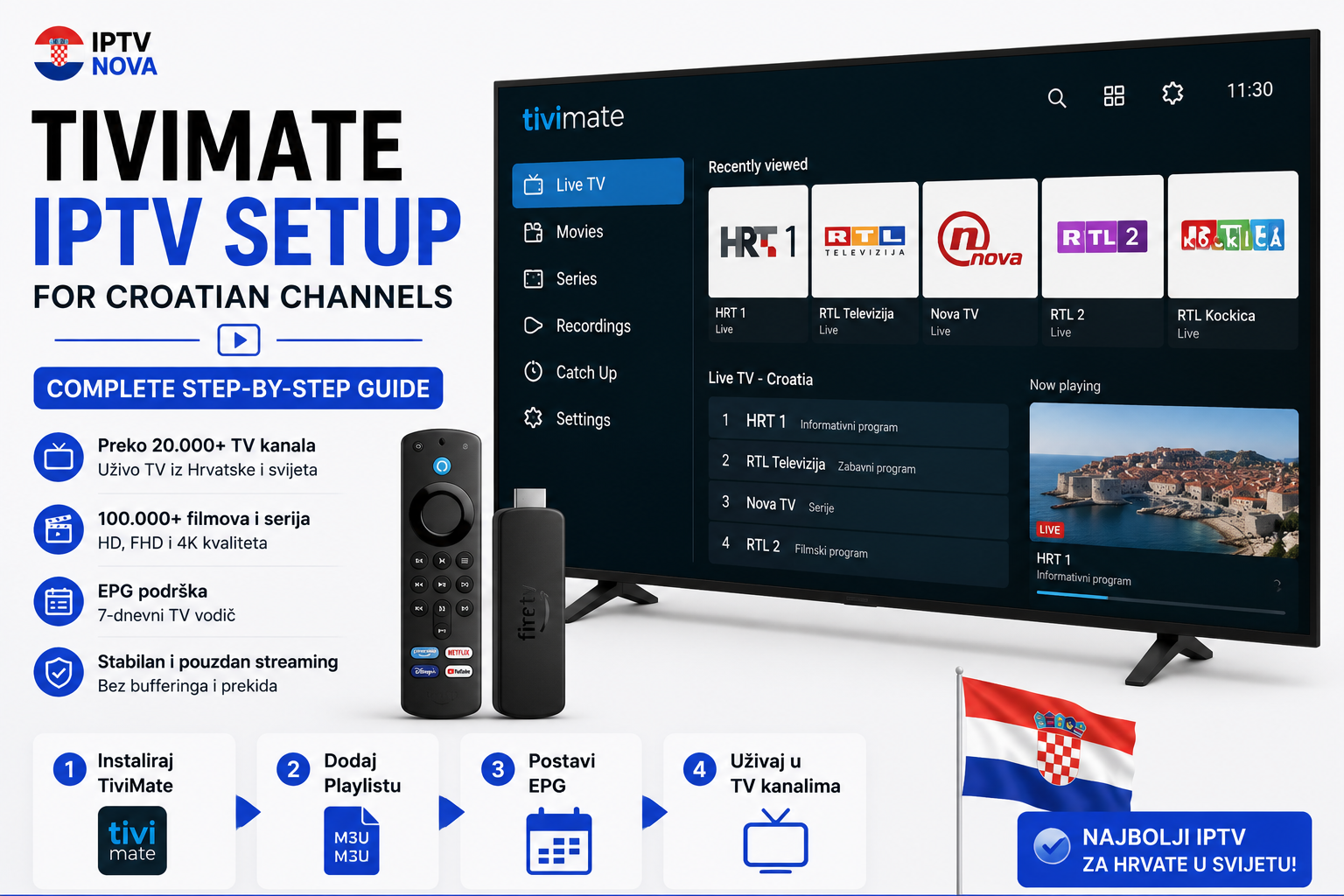
If you are looking for the best IPTV player for Croatian channels in 2026, look no further than TiviMate. Known for its clean interface, smooth performance, and powerful features, TiviMate is the go-to app for IPTV lovers worldwide.
In this complete TiviMate IPTV setup guide for Croatian channels, we will walk you through everything — from downloading the app to watching your favorite Croatian TV channels in Full HD quality.
Whether you are a beginner or an experienced IPTV user, this guide has everything you need!
What is TiviMate?
TiviMate is one of the most popular IPTV player apps available in 2026. It offers a premium TV-like experience with features like:
- 📅 Built-in EPG (Electronic Program Guide)
- ⏺️ DVR recording functionality
- 🎨 Clean and modern user interface
- 📺 Multi-screen support
- ⭐ Favorites list for your top channels
TiviMate is available as a free version and a premium version (TiviMate Premium) with additional features.
What Devices Support TiviMate?
TiviMate works on:
- ✅ Amazon Firestick & Fire TV
- ✅ Android TV (Smart TV)
- ✅ NVIDIA Shield
- ✅ Android Box
- ✅ Google Chromecast with Google TV
Note: TiviMate is NOT available on iPhone, iPad, or Windows PC — it is exclusively for Android TV and Firestick devices.
What You Need Before Starting
Before setting up TiviMate for Croatian channels, make sure you have:
- ✅ A compatible device (Firestick, Android TV, Android Box)
- ✅ A stable internet connection (minimum 10 Mbps)
- ✅ An active IPTV subscription with M3U URL or Xtream Codes (like Nova IPTV)
How to Install TiviMate on Firestick & Android TV
Step 1: Enable Apps from Unknown Sources
On your Firestick or Android TV:
- Go to Settings → My Fire TV → Developer Options
- Enable “Apps from Unknown Sources”
Step 2: Install Downloader App
- Go to the Amazon App Store or Google Play Store
- Search for “Downloader” by AFTVnews
- Install and open the app
Step 3: Download TiviMate
- Open Downloader and enter this URL:
https://tivimate.com
- Download and install the TiviMate APK
Step 4: Open TiviMate
Once installed, open TiviMate and you are ready to set it up with your Croatian IPTV channels!
How to Set Up TiviMate for Croatian Channels — Step by Step
Step 1: Open TiviMate and Click “Add Playlist”
When you open TiviMate for the first time, you will see a welcome screen. Tap on “Add Playlist” to get started.
Step 2: Choose Your Login Method
You have two options:
- M3U Playlist — paste your M3U URL
- Xtream Codes API — enter Username, Password, and Server URL ← recommended!
Step 3: Enter Your Nova IPTV Credentials
Fill in your details:
- Server URL: your Nova IPTV server URL
- Username: your Nova IPTV username
- Password: your Nova IPTV password
Then tap “Next” and wait for TiviMate to load your Croatian channels.
Step 4: Set Up EPG (TV Guide)
For a full TV guide experience:
- Go to Settings → EPG
- Enter your EPG URL provided by Nova IPTV
- TiviMate will automatically show program schedules for all Croatian channels
Step 5: Find Your Croatian Channels
Once everything is loaded:
- Go to “All Channels”
- Search for your favorite Croatian channels: HRT 1, HRT 2, RTL Croatia, Nova TV, Doma TV
- Add them to your Favorites for quick access
Step 6: Start Watching!
That is it! You are now ready to enjoy all your favorite Croatian channels in Full HD quality on TiviMate. 🎉
TiviMate Free vs TiviMate Premium
| Feature | TiviMate Free | TiviMate Premium |
|---|---|---|
| Live TV | ✅ Yes | ✅ Yes |
| EPG TV Guide | ✅ Basic | ✅ Advanced |
| DVR Recording | ❌ No | ✅ Yes |
| Multiple Playlists | ❌ No | ✅ Yes |
| Auto-update playlist | ❌ No | ✅ Yes |
| Price | Free | ~$4.99/year |
For the best Croatian IPTV experience, TiviMate Premium is highly recommended!
Tips for the Best TiviMate Experience
- ✅ Use a fast WiFi connection — minimum 25 Mbps for 4K streaming
- ✅ Enable auto-update playlist in TiviMate Premium to always have fresh channels
- ✅ Use the Favorites feature to quickly access HRT, RTL, and Nova TV Croatia
- ✅ Enable catch-up if your IPTV provider supports it — watch missed shows anytime
- ✅ Restart TiviMate if channels freeze or buffer
Troubleshooting — TiviMate Not Working?
1. Playlist not loading Double-check your M3U URL or Xtream Codes credentials. Contact your IPTV provider if needed.
2. Channels buffering Switch to a faster WiFi connection or reduce stream quality from 4K to HD.
3. EPG not showing Make sure your EPG URL is correct and refresh it in Settings.
4. App crashing Clear TiviMate cache or reinstall the app.
5. Croatian channels missing Use the search function inside TiviMate or contact Nova IPTV support to verify your channel list.
Why Choose Nova IPTV for TiviMate Croatian Channels?
For the best TiviMate IPTV experience with Croatian channels, Nova IPTV is the perfect provider in 2026!
With Nova IPTV you get:
- ✅ Instant Xtream Codes and M3U URL after subscription
- ✅ 10,000+ channels including all major Croatian channels
- ✅ HRT 1, HRT 2, HRT 3, RTL Croatia, Nova TV, Doma TV and more
- ✅ Full HD & 4K streaming quality
- ✅ 99.9% uptime — zero buffering
- ✅ Full EPG support for TiviMate
- ✅ 24/7 customer support
🔗 For more information on outbound resources, visit: tivimate.com
👉 Visit nova-iptv.net and subscribe today!
Conclusion
Setting up TiviMate IPTV for Croatian channels is quick and easy — just follow the steps above and you will be watching HRT, RTL, Nova TV and thousands of other channels in minutes.
TiviMate combined with a reliable provider like Nova IPTV gives you the ultimate Croatian TV experience in 2026 — at a fraction of the cost of traditional cable TV!
👉 Ready to start? Visit nova-iptv.net today! 📺🇭🇷